Education is no longer limited to classrooms. The rise of digital learning has transformed how students, professionals, and organizations acquire...



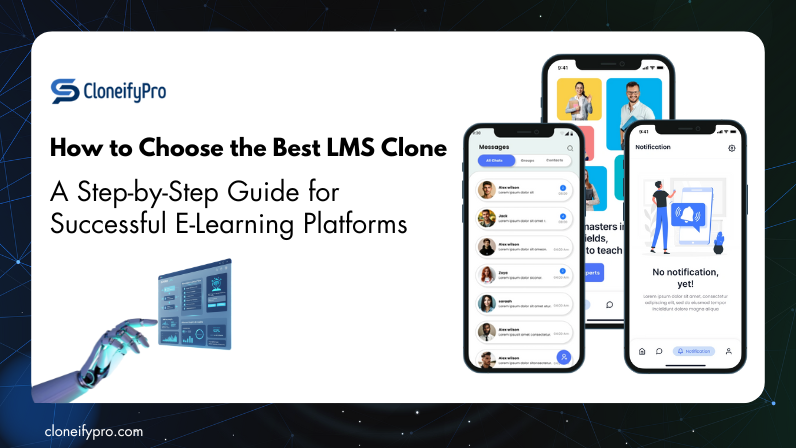
Education is no longer limited to classrooms. The rise of digital learning has transformed how students, professionals, and organizations acquire knowledge. Today, Learning Management Systems (LMS) are at the heart of this transformation, making it easier to deliver, manage, and scale online learning.
However, building an LMS from scratch is time-consuming and expensive. That’s where an LMS Clone comes into play. An LMS Clone is a pre-built solution that replicates the features of top LMS platforms while offering customization for your brand. It saves development time, reduces costs, and lets you launch quickly.
But with so many options available, how do you choose the best LMS Clone for your e-learning platform? This step-by-step guide will help you make the right choice.
An LMS clone is a ready-to-use software solution that replicates the core features of popular Learning Management Systems while offering customization to suit your unique requirements. Instead of spending months developing from scratch, you can start with a clone script that includes features like course creation, live classes, user management, and assessments.
In short, an LMS clone gives you the foundation of a robust e-learning platform without reinventing the wheel.
E-learning is a competitive market, and standing out requires a strong, feature-rich platform. Here’s why many startups, educators, and corporates choose an LMS clone:
By choosing an LMS clone, you position yourself to capture opportunities in the rapidly growing online education space.
Building a successful e-learning platform requires a robust, scalable, and feature-rich LMS. Instead of developing from scratch, a top LMS clone script like CloneifyPro offers a ready-made, fully customizable solution. It replicates the functionalities of leading platforms while allowing branding and personalization to suit your unique business needs.
Selecting the right LMS clone requires careful evaluation. Let’s walk through the steps:
Start by clearly defining what you want to achieve with your platform. This step ensures you invest in a clone that fits your purpose.
Ask yourself:
Understanding the market helps you identify the best clone for your needs. Analyze leading platforms like:
Study their strengths, weaknesses, and feature sets. Choose a clone that offers similar capabilities but allows customization where necessary.
A powerful LMS clone should cover the essential functionalities that form the backbone of any learning platform. Look for:
A feature-rich platform is useless if learners find it hard to navigate. Great UX is a major competitive advantage.
Test the UI on different devices and browsers. A responsive, accessible design ensures higher learner satisfaction and engagement.
Your LMS should reflect your brand identity, not the software vendor’s.
Customization options to check:
Your LMS might start with 100 users but should be able to scale to 10,000+. Scalability is critical for long-term success.
Key aspects to check:
Security is paramount in e-learning platforms. Your LMS will store personal data, certifications, and payment information.
Look for:
LMS clones come with different pricing structures. Choose based on your budget and growth plan:
Before finalizing, always test a live demo. Simulate real-world scenarios: create a course, enroll users, run quizzes, and generate reports.
Also, read client testimonials and case studies. This gives you an idea of how the clone performs under real usage and the vendor’s support quality.
The clone script is only as good as the team that supports it. Partner with a vendor who:
A strong development partner ensures your platform remains future-proof and high-performing.
Launching the platform is just the beginning. Your go-to-market strategy determines how quickly you gain users.
While each business may have unique needs, certain features are non-negotiable for a successful LMS:
These features not only enhance learning but also boost engagement and retention.
The e-learning industry is rapidly evolving. When choosing an LMS clone, ensure it can adapt to future trends such as:
Your platform should not just meet today’s needs but also embrace tomorrow’s innovations.
The journey to building an impactful e-learning platform begins with choosing the right LMS clone. By following the step-by-step approach outlined in this guide—defining goals, evaluating features, testing demos, and selecting the right partner—you can confidently build a scalable and learner-friendly platform.
E-learning is more than a trend; it’s the future of education and corporate training. Choosing wisely today ensures long-term success tomorrow.
If you’re looking for a professional, customizable, and ready-to-launch LMS clone, Cloneifypro is the ideal choice.
Here’s why:
Whether you’re an educator, entrepreneur, or corporate trainer, Cloneifypro empowers you to create an engaging and profitable e-learning platform.
| Feature | CloneifyPro LMS Clone |
|---|---|
| AI-Powered Learning | Personalized course recommendations, smart assessments, and automated student engagement. |
| Live Classes & Webinars | Integrated support for live sessions and webinars. |
| Course Management | Seamless creation and management of courses. |
| Student Progress Tracking | Real-time analytics and progress tracking. |
| Multi-Device Compatibility | Fully responsive across devices. |
| Secure Payments & Subscriptions | Integrated payment gateways and subscription models. |
| Custom Branding & White-Labeling | Fully customizable with white-label options. |
| Gamification & Engagement | Includes features like quizzes, badges, and leaderboards. |
| Mobile App Support | Dedicated mobile applications. |
| Launch Time | Ready to launch in 7 days. |
| Support & Updates | 24/7 support with regular updates. |
Choosing the right LMS clone is a critical step in building a successful e-learning platform. By understanding the meaning and benefits of LMS clones, defining your goals, evaluating essential features, and considering scalability, security, and user experience, you can select a solution that meets both your current needs and future growth.
CloneifyPro LMS Clone stands out as a comprehensive, AI-powered, and fully customizable platform. With features like live classes, progress tracking, gamification, mobile support, and rapid deployment in just 7 days, it empowers educators, institutions, and businesses to deliver engaging and effective online learning experiences.
FAQ
1. What is an LMS clone?
An LMS clone is a ready-made software replicating top learning platforms’ features, customizable to your brand, allowing fast deployment, course management, and student engagement for online learning.
2. Why should I choose an LMS clone for e-learning?
LMS clones save time, reduce costs, and offer tested features. They provide scalability, customization, and quick launch, making them ideal for schools, corporates, and individual educators.
3. How do I choose the best LMS clone?
Define your goals, check features like course management, analytics, mobile compatibility, security, and AI support. Test demos and choose a reliable, customizable, and scalable solution.
4. What features should a top LMS clone have?
Key features include course builder, live classes, gamification, analytics, mobile support, secure payments, AI recommendations, customizable branding, progress tracking, and seamless user management.
5. Can LMS clones support mobile learning?
Yes, premium LMS clones like CloneifyPro are mobile-responsive and offer dedicated apps, enabling learners and instructors to access courses, track progress, and participate in live sessions anywhere.
6. How long does it take to launch an LMS clone?
With a ready-made solution like CloneifyPro, you can deploy your platform in just 7 days, including setup, customization, and initial content upload.