How to Build a Readymade Hotel Booking Script: A Step-by-Step Guide
In today’s digital era, a robust hotel booking script can be the backbone of an efficient, user-friendly, and revenue-generating online hotel platform. Whether you’re a developer looking to build a SaaS product or a business owner seeking to streamline bookings, creating a readymade hotel booking script can save time and offer immediate value to clients. In this step-by-step guide, we’ll walk through the essential components, technologies, and best practices to develop a successful hotel booking system.
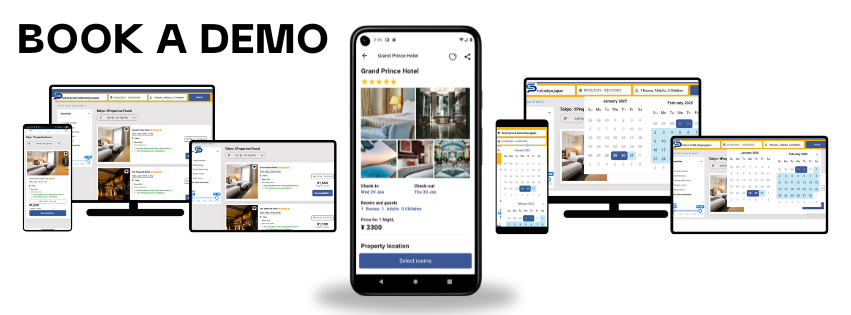
Step 1: Define the Core Features of the Hotel Booking Script
Before you dive into development, it's crucial to identify the key features your hotel booking script must include. A well-rounded script should offer:
User registration and login
Hotel listings with filters (location, price, rating, amenities)
Room availability calendar
Real-time booking engine
Payment gateway integration
Admin dashboard for hotel and booking management
Multi-language and multi-currency support
Email/SMS notifications
Clearly defining these features ensures you lay a strong foundation for your script's architecture.
Step 2: Choose the Right Tech Stack
Selecting the appropriate technology stack is critical to the performance, scalability, and maintainability of your hotel booking script. Here’s a recommended stack:
Frontend: HTML5, CSS3, JavaScript, React.js or Vue.js
Backend: Node.js, Laravel, or Django
Database: MySQL, PostgreSQL, or MongoDB
APIs: RESTful or GraphQL for third-party services like Google Maps, payment gateways
Hosting: AWS, DigitalOcean, or shared hosting depending on scalability needs
Make sure your tech stack is aligned with your target audience’s requirements and budget.
Step 3: Design the UI/UX for Maximum Usability
An intuitive and responsive UI is essential for user satisfaction. Keep the design clean, mobile-responsive, and focused on conversion. Important elements to consider:
Homepage with search box and featured hotels
Hotel listing page with filters and sorting options
Detailed hotel page with images, amenities, reviews, and pricing
Booking page with a calendar and guest information form
Admin panel with booking stats, user controls, and content management
Use tools like Figma or Adobe XD to wireframe your design before actual development.
Step 4: Develop the Backend Logic
The backend is where the core logic of your hotel booking script lives. Here's what to focus on:
Authentication & Authorization: Secure login for users and admins
Hotel and Room Management: CRUD operations for hotel listings, rooms, and amenities
Booking Engine: Real-time room availability check, date selection, and booking confirmation
Payment Integration: Use secure APIs like Stripe, Razorpay, or PayPal for seamless payments
Notifications: Automate confirmations via email or SMS using tools like Twilio or SendGrid
Ensure your code follows clean architecture principles for easy maintenance and scalability.
Step 5: Integrate APIs and External Services
Third-party APIs can significantly enhance the functionality of your hotel booking software:
Google Maps API: For location-based searches and maps
Currency Converter API: For international pricing
Review API (e.g., TripAdvisor): To display verified user reviews
Payment Gateways: Stripe, PayPal, Razorpay, etc.
Ensure all integrations are secure, fast, and comply with data privacy laws.
Step 6: Test for Performance and Security
Testing is a non-negotiable step before launching your hotel booking script. Perform:
Unit Testing: Test individual components and functions
Integration Testing: Ensure all modules work together seamlessly
Load Testing: Simulate high traffic to assess server performance
Security Testing: Protect against common threats like SQL injection, XSS, and CSRF
Use tools like Postman, Selenium, and OWASP ZAP to automate your testing processes.
Step 7: Deploy and Monitor
Once your hotel booking script is tested and ready, deploy it to a production server. Set up the following for optimal performance:
CI/CD pipeline: Automate build and deployment
SSL certificate: Ensure secure data transmission
Monitoring tools: Use Google Analytics, New Relic, or Sentry to track performance and errors
Backup and Recovery: Regular backups to avoid data loss
Make sure the script is easy to install and configure for non-technical users.
Step 8: Offer Ongoing Support and Updates
A readymade hotel booking script is only valuable if it remains up-to-date. Provide:
Regular feature updates
Bug fixes and performance enhancements
Documentation and user guides
Dedicated support via email or chat
Create a versioning system to help users keep track of new features and patches.
Conclusion
Building a readymade hotel booking script requires a strategic blend of feature planning, robust coding practices, seamless integrations, and user-focused design. By following the above steps, you can develop a powerful hotel booking script that is ready for commercial use and adaptable across various online hotel businesses. As demand grows for automated booking systems, a well-developed script can open doors to scalable SaaS opportunities, custom deployments, and long-term business growth.