Building a travel booking app like MakeMyTrip may sound complex, but with the right approach, you can launch your MakeMyTrip clone in just 7 days. ...



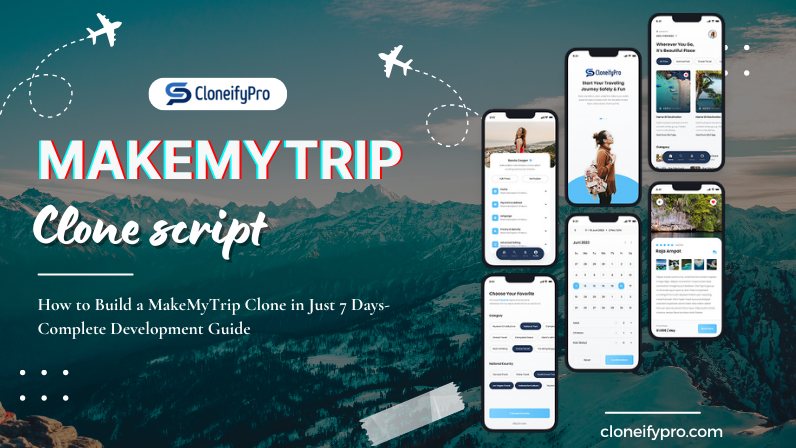
Building a travel booking app like MakeMyTrip may sound complex, but with the right approach, you can launch your MakeMyTrip clone in just 7 days. Here’s a detailed day-by-day roadmap for a smooth development journey.
Before diving into the development process, let’s understand why a MakeMyTrip clone is a smart business move:
If you want to compete with major travel apps like MakeMyTrip, a clone app is your shortcut to entering the market efficiently.
The first step in how to build MakeMyTrip clone is selecting a reliable clone script. Using a ready-made script saves time, reduces development cost, and ensures a tested framework for your app.
Why choose CloneifyPro’s MakeMyTrip clone script?
Once you’ve purchased the script, you’re ready to start development.
Even with a clone script, you need a proper development setup. Follow these steps:
Setting up your development environment properly ensures a smooth 7-day build timeline.
A MakeMyTrip clone comes with a default design, but customization is key to stand out. Focus on:
A clean, professional design improves user experience and increases trust in your app.
To create a competitive travel booking app, ensure your MakeMyTrip clone includes these core features:
Testing is crucial to ensure your app works flawlessly. Focus on:
A thoroughly tested app reduces post-launch issues and improves user satisfaction.
Once testing is complete, it’s time to launch your MakeMyTrip clone:
Deployment should be smooth if the setup and testing were done properly.
Launching the app is just the start. To attract users, focus on marketing:
Effective marketing ensures your MakeMyTrip clone reaches the right audience and drives bookings.
| Day | Steps / Activities | Purpose/Outcome | How CloneifyPro Helps |
|---|---|---|---|
| Day 1 | Planning & Requirements Gathering | Define goals, target audience, features, and app scope. | CloneifyPro provides ready-made MakeMyTrip clone scripts so you can start with a tested framework instead of building from scratch |
| Day 2 | Set Up Development Environment | Configure hosting, server, database, domain, and SSL. | CloneifyPro scripts are easy to deploy with detailed documentation, saving setup time |
| Day 3 | UI/UX Customization | Customize branding, design, navigation, booking flow, and call-to-action buttons. | CloneifyPro offers a fully customizable design template for professional-looking apps |
| Day 4 | Integrate Core Features | Add a user panel (login, search, booking, and payment) and an admin panel (dashboard, content & payment management). | CloneifyPro includes all essential features pre-built for a MakeMyTrip clone, reducing coding effort |
| Day 5 | Testing & Quality Assurance | Test functionality, performance, security, cross-device compatibility, and user acceptance. | CloneifyPro provides a tested script to minimize bugs and ensures smooth functionality |
| Day 6 | Deployment & Configuration | Upload files to the server, configure the domain & SSL, and do final live testing. | CloneifyPro guides you through deployment with step-by-step instructions for quick go-live |
| Day 7 | Marketing & Launch | Launch app, implement SEO, social media marketing, paid ads, and affiliate partnerships, and collect feedback. | CloneifyPro supports marketing readiness by providing SEO-friendly scripts and app features to attract users |
CloneifyPro simplifies the process of how to build MakeMyTrip clone with a ready-to-launch, fully functional solution. Here’s why it’s the best choice:
CloneifyPro ensures your travel booking app is market-ready quickly and efficiently.
Following this 7-day roadmap, you can successfully build a MakeMyTrip clone that is fully functional, customizable, and market-ready. Using a ready-made script from CloneifyPro simplifies the process, reduces cost, and ensures a secure and scalable app.
With consistent effort from Day 1 to Day 7, your travel booking platform can compete with top players like MakeMyTrip, offering users a seamless experience in flight, hotel, and holiday package bookings.